
My Password Pro Key1.0 - Google Play
You'll be able to see results in few seconds.
Publisher Description


THIS IS THE KEY TO UNLOCK THE LIMITATIONS OF THE FREE VERSION (MAX 10 PASSWORD)
BEFORE DOWNLOAD, TRY FREE VERSION.
YOU MUST HAVE INSTALLED THE FREE VERSION (MY PASSWORD)
IN PRO VERSION THERE IS NO ADVERTISING AND NO PASSWORDNUMBER LIMITATIONS
YOU DON'T NEED TO REINSTAL APPS OR COPY THE FREE VERSION DATABASE.
YOU NEED TO INSTALL THIS APP AND RESTART MY PASSWORDAPP
DO NOT UNISTALL MY PASSWORD, ELSE YOU LOOSE ALL DATA.
How many passwords do you have to remember ? Now every site requires a login and password, and often using the same password , or are stored in files that are not protected . Everything is discouraged by all operator safety , lose a password or a device means to risk losing important information (email , bank account , etc. )
With MyPassword solve everything . MyPassword is an encrypted wallet for your password.
Set a password to access all your passwords. The database is encrypted with AES -256 ( maximum security that you can have on a smartphone ) , even if you lose the device will not be able to recover your password.
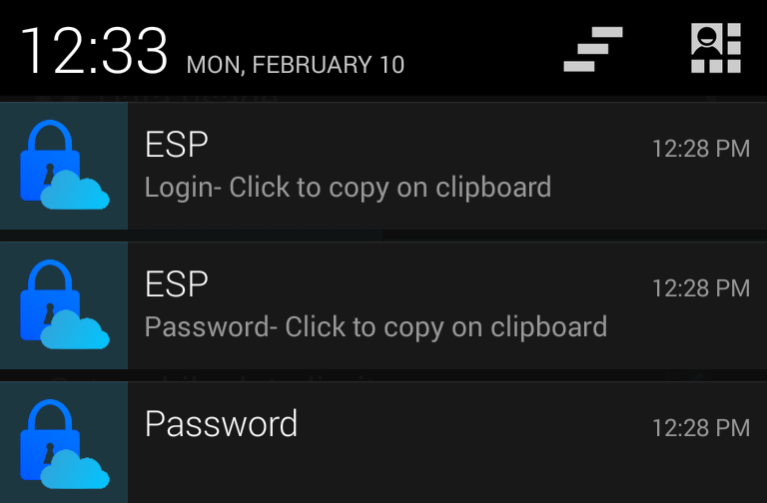
With the icon in your notification bar can instantly call MyPassword and with a click to copy your login and password. MyPassword creates two notifications in your notification bar where it can be copied by selecting the login and password to the clipboard and copy them where you need them . In this way you can have all your different passwords increasing your safety .
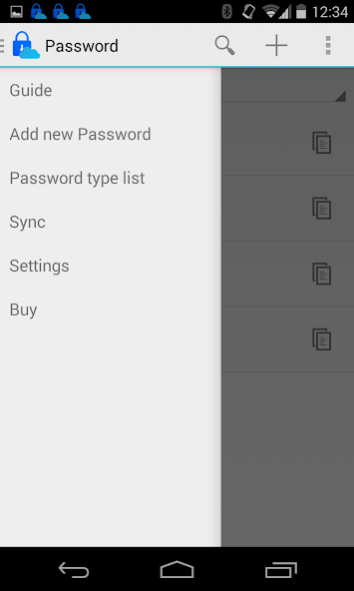
You have many passwords to enter ! There were no problems , you can import and export your passwords in xls sheet .
You have multiple devices ! There are no problems ! Sharing with DropBox if activated allows you to make your database ENCRYPTED of MyPassword available to all your devices.
This version has the limitation of handling up to a maximum of 10 Password .
If you want to remove this limitation and advertising you can buy the My Password PRO KEY, which is the key that removes the ads and removes the limitation on the number of passwords .
Here you can find the guide: http://goo.gl/Se4zRL
For any information send an email to drdsoftwareapps@gmail.com
About My Password Pro Key
The company that develops My Password Pro Key is Drd. The latest version released by its developer is 1.0.
To install My Password Pro Key on your Android device, just click the green Continue To App button above to start the installation process. The app is listed on our website since 2014-02-21 and was downloaded 0 times. We have already checked if the download link is safe, however for your own protection we recommend that you scan the downloaded app with your antivirus. Your antivirus may detect the My Password Pro Key as malware as malware if the download link to it.drd.UltimatePasswordskey is broken.
How to install My Password Pro Key on your Android device:
- Click on the Continue To App button on our website. This will redirect you to Google Play.
- Once the My Password Pro Key is shown in the Google Play listing of your Android device, you can start its download and installation. Tap on the Install button located below the search bar and to the right of the app icon.
- A pop-up window with the permissions required by My Password Pro Key will be shown. Click on Accept to continue the process.
- My Password Pro Key will be downloaded onto your device, displaying a progress. Once the download completes, the installation will start and you'll get a notification after the installation is finished.
Program Details
System requirements
Download information
Pricing
Version History
version 1.0
posted on 2014-02-21
Disclaimer
Official Google Play Link
We do not host My Password Pro Key on our servers. We did not scan it for viruses, adware, spyware or other type of malware. This app is hosted by Google and passed their terms and conditions to be listed there. We recommend caution when installing it.
The Google Play link for My Password Pro Key is provided to you by apps112.com without any warranties, representations or guarantees of any kind, so access it at your own risk.
If you have questions regarding this particular app contact the publisher directly. For questions about the functionalities of apps112.com contact us.
